We will be creating drawing machines by using an H-bridge to control stepper motors attached to mechanical arms. Individually assemble the circuit using the SN75440NE IC and the pre-installed Arduino Stepper Library to control one stepper motor.
Materials:
You will need your Arduino kit along with:
- 1 42STH33-0404AC stepper motor
- 1 SN75440NE ic chip
- 1 power jack
- 12 VDC power supply
- 1 potentiometer (from your kit)
- 1 Arduino and USB cable (from your kit)
- Laser-cut and 3D printed mechanisms
- Pen that fits the laser-cut mechanisms
Lab Exercise:
Step 1:
Build the following circuit to control the stepper. Use the stepper_oneRevolution example to get your motor to make one revolution. The motor should move smoothly. Make sure you orient the IC in the correct position; this can be seen in the Components section at the bottom.
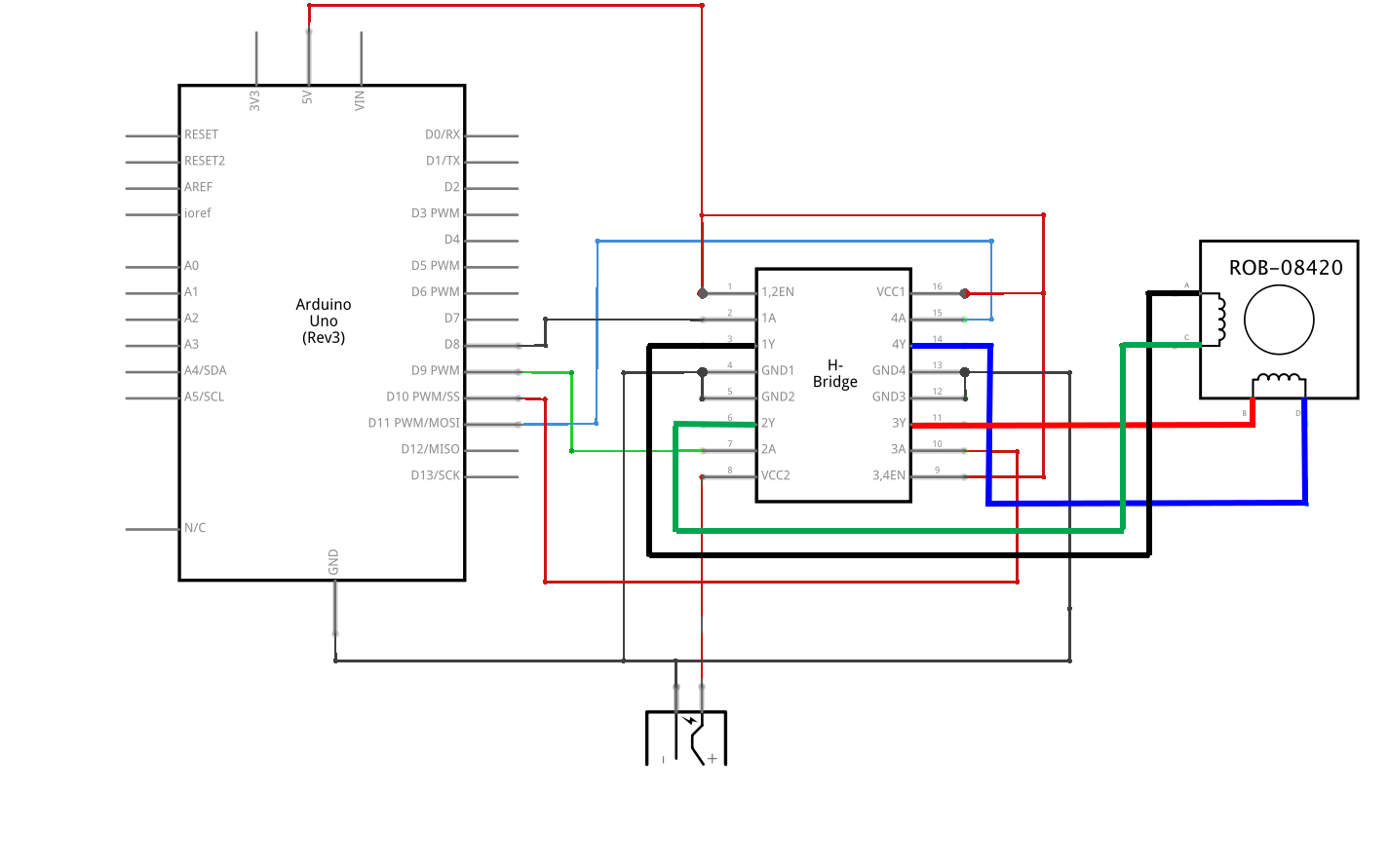
Step 2:
Use your potentiometer and the “MotorKnob” example to control your motor. Please note that 42STH33-0404AC stepper motor is a 200 step motor. You can use the function map() in order to match the movement of the knob with the rotation of the motor.
Step 3:
Once you have your motor moving, you should collect the parts of the laser-cut and 3D printed mechanisms as the pictured below.
Then, find another person to work with. Combine your parts into a mechanical arm that can hold a marker, as seen in the picture below. Congratulations, you have just created a drawing machine!
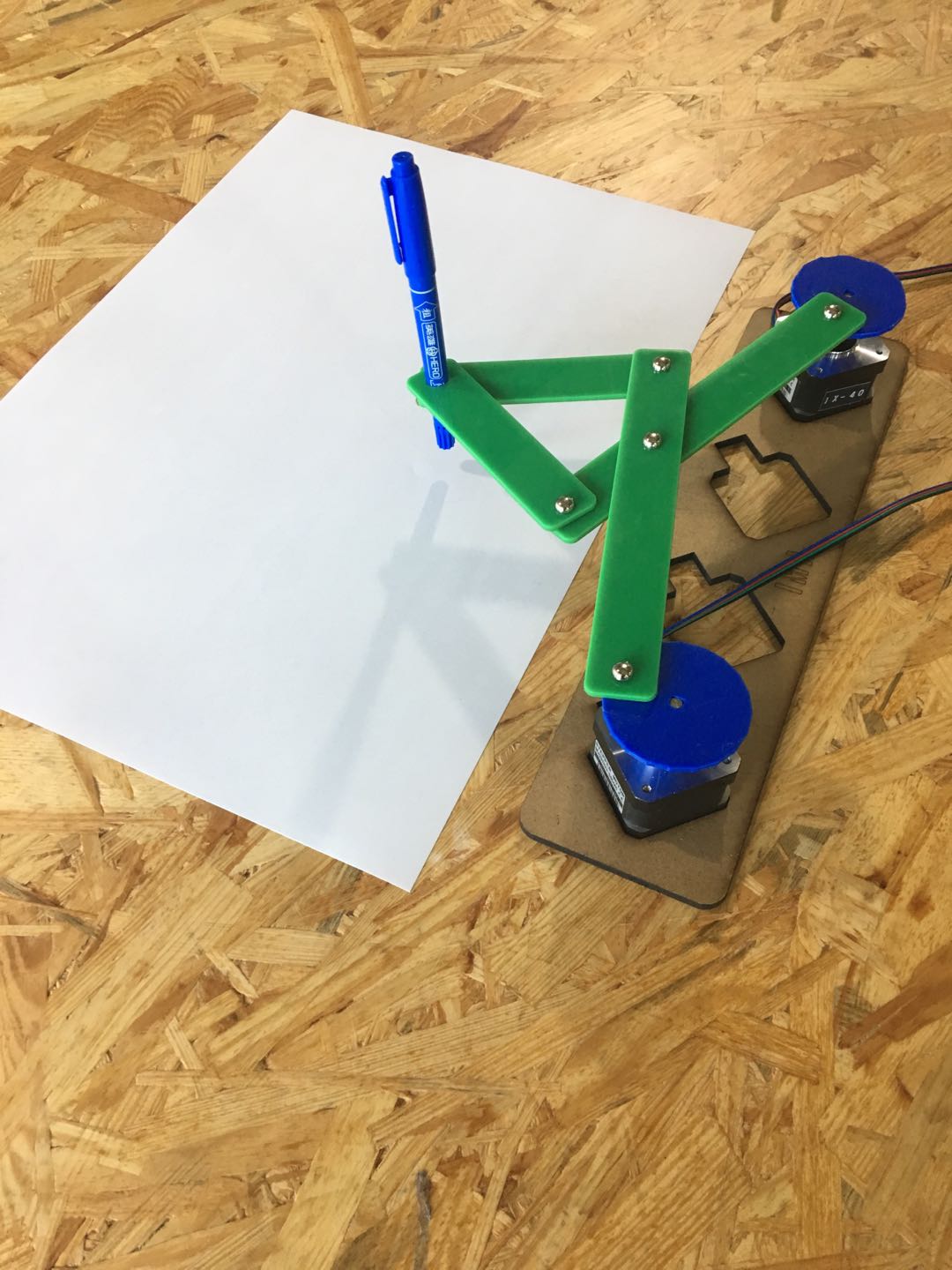
Please note that you may need to tape the paper down so it does not move against the pen. Experiment with changing the speed.
Components
Stepper Motor:

L293D Integrated Circuit (H-Bridge):
Note on how to Identify the front of the IC:
To locate this IC’s front and pinout, look for a semicircle at its end. This semicircle indicates where the front of the IC is. The pin to the left is pin 1, and the diagram below depicts how the other pins are mapped.


Laser-cut arms:

Laser cut arms: One long (left), the other short (right)
Laser-cut motor holder:

3D printed motor coupling:

Paper Fastener:

Documentation
Document your work individually. Make sure to include a video of your drawing machine, a drawing you made with it, and the code you used.
- What kind of machines would you be interested in building?
- Find a kinetic art installation. Post your thoughts on it and make a comparison with the work you did during this lab. Explain why you like this specific project and how interactive you think this is. If it is not, what would you add to the project to make it interactive?
Some websites where you can find interactive projects below:
- Creative Applications: http://www.creativeapplications.net/
- We-Make-Money-Not-Art: http://www.we-make-money-not-art.com/
- Interactive Architecture: http://www.interactivearchitecture.org/
- United Visual Artists: http://www.uva.co.uk/